See also
I/I Monitor - Main Screen
Inflow and Infiltration
Log In / Menu Overview
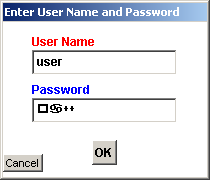
When you start I and I you will need a valid user name and password in order to log in.
Enter the user name. Tab. Enter the password. Tab. Hit Enter or click [ OK ]
See also
I/I Monitor - Main Screen
Last Updated: 2/18/2008 | © Agust Gudmundsson, 2009
This page was generated by an unregistered version of
West Wind HTML Help Builder
.
 Inflow and Infiltration
 Log In / Menu Overview
Inflow and Infiltration
Log In / Menu Overview
Log In / Menu Overview
Inflow and Infiltration
Log In / Menu Overview